This page is optimized for desktop computers and tablets. To access it, try one of the following points:
- Access this page from a different device.
- If you’re on a tablet, rotate it.
- Check the “Desktop site” option in your browser settings.
This page is optimized for desktop computers and tablets. To access it, try one of the following points:
Red manning phones are the phone numbers which are observed by RedManning Mode. If the mode is active, those phones cannot be called directly, expect for the direct access phones.
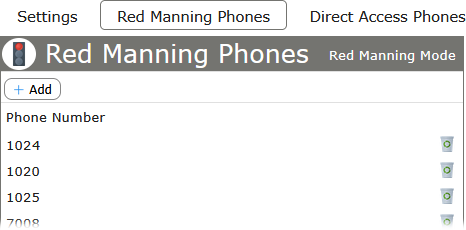
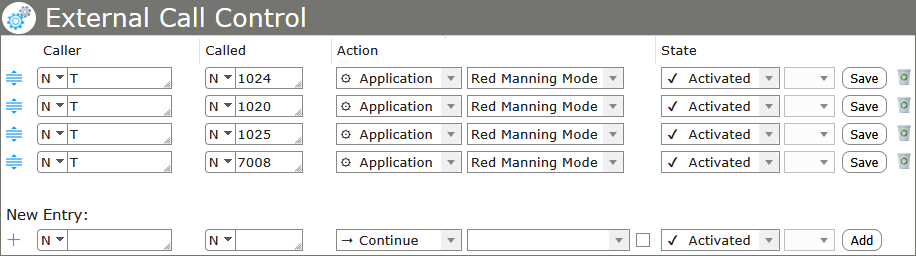
Important: Since version 3.0.0 of the RedManning Mode application, every red manning phone needs to be registered in the section External Call Control of Callisto. For each phone defined on the Red Manning Phones page, an additional record needs to be added for any call that gets directed to a particular RedManning Mode instance.
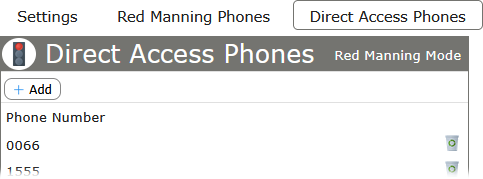
Direct access phones are the phone numbers that can call the red manning phones directly. Phones which are defined in this section can call the red manning phones, even when red manning mode is active.
If the phones service is configured and assigned properly, the red manning mode option will be available on the phone display, showing the label defined in the settings. Pressing the assigned service button on the phone will toggle the state of the mode. An announcement will confirm the change of state.
While activated, the display shows the state of the mode and only the direct access phones are able to call directly.
Freiburgstrasse 251
CH-3018 Bern
Switzerland
T: +41 31 531 11 11
F: +41 31 531 11 12
sales@ctmodule.com
Gospodara Vučića 145
RS-11000 Belgrade
Serbia
T: +381 18 308076
sales@ctmodule.com