This page is optimized for desktop computers and tablets. To access it, try one of the following points:
- Access this page from a different device.
- If you’re on a tablet, rotate it.
- Check the “Desktop site” option in your browser settings.
This page is optimized for desktop computers and tablets. To access it, try one of the following points:
The PhoneDiversion service can be added to a line button on the phone. You can send the ID of a diversion group as a parameter in the URL of the phone service.
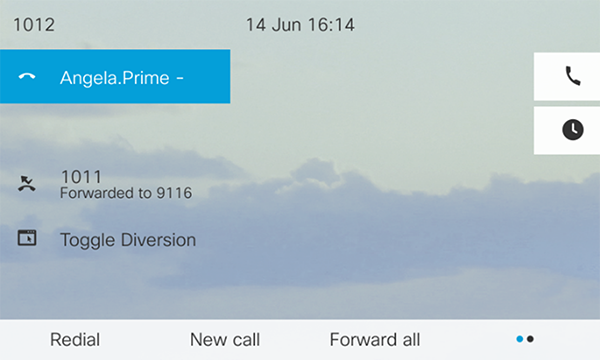
If the parameter value is defined and set in the URL, pressing the Toggle Diversion button on the phone will toggle the diversion for the respective group based on its current state.
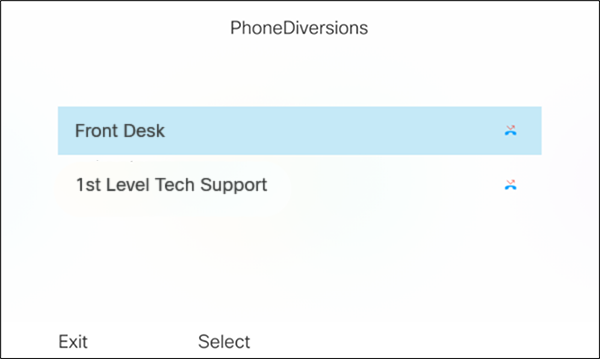
If the parameter value is not set, and there is only one diversion group, pressing the button will toggle the diversion for that group. However, if there are multiple groups, pressing the button will display a menu on the phone, listing all the groups. From this menu, you can select the desired group to toggle the diversion.
Freiburgstrasse 251
CH-3018 Bern
Switzerland
T: +41 31 531 11 11
F: +41 31 531 11 12
sales@ctmodule.com
Gospodara Vučića 145
RS-11000 Belgrade
Serbia
T: +381 18 308076
sales@ctmodule.com