This page is optimized for desktop computers and tablets. To access it, try one of the following points:
- Access this page from a different device.
- If you’re on a tablet, rotate it.
- Check the “Desktop site” option in your browser settings.
This page is optimized for desktop computers and tablets. To access it, try one of the following points:
 Export Article
Export Manual
x
Export
Export Article
Export Manual
x
Export
 Print
Print
Callisto AI integrates artificial intelligence into Callisto. The basic component added to Callisto for AI integration is the Callisto AI Gateway, a separate Ubuntu server that runs the speech services. Some speech services can run in the cloud or on premise. In addition to the gateway, a separate LLM (Large Language Model) server is used, which can run either in the cloud or on premise. When the LLM is run on premise, one of the recommended models can be used; in this case the model is included as part of the Callisto AI Gateway machine. Alternatively, the LLM can run in the cloud, or customers can use their own LLM.
All AI components are configured centrally. A new Callisto AI entry is available on the navigation bar.
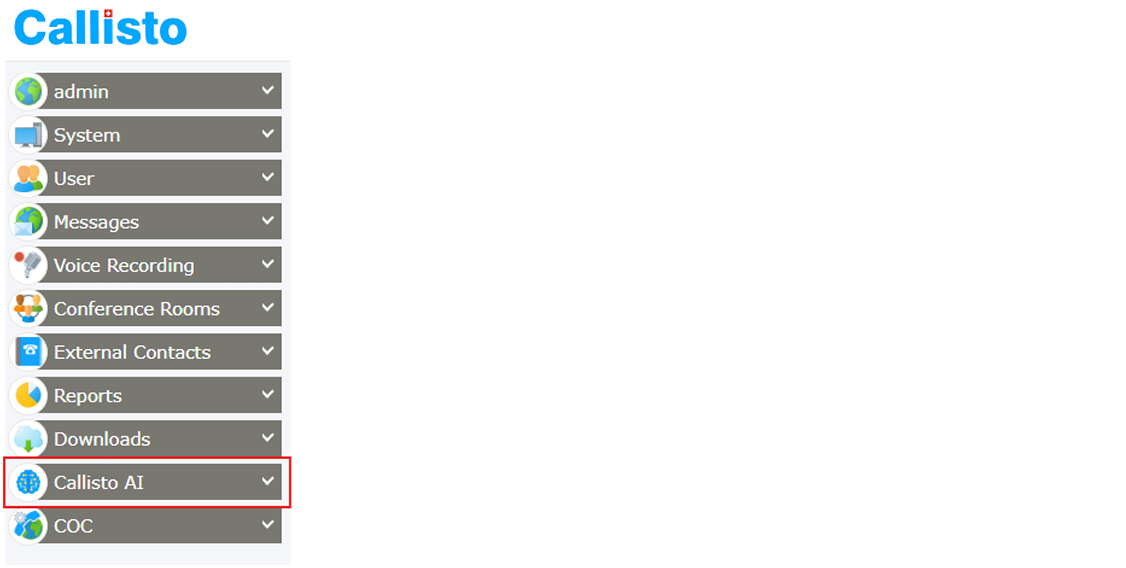
On the navigation bar, click on Callisto AI > Settings.
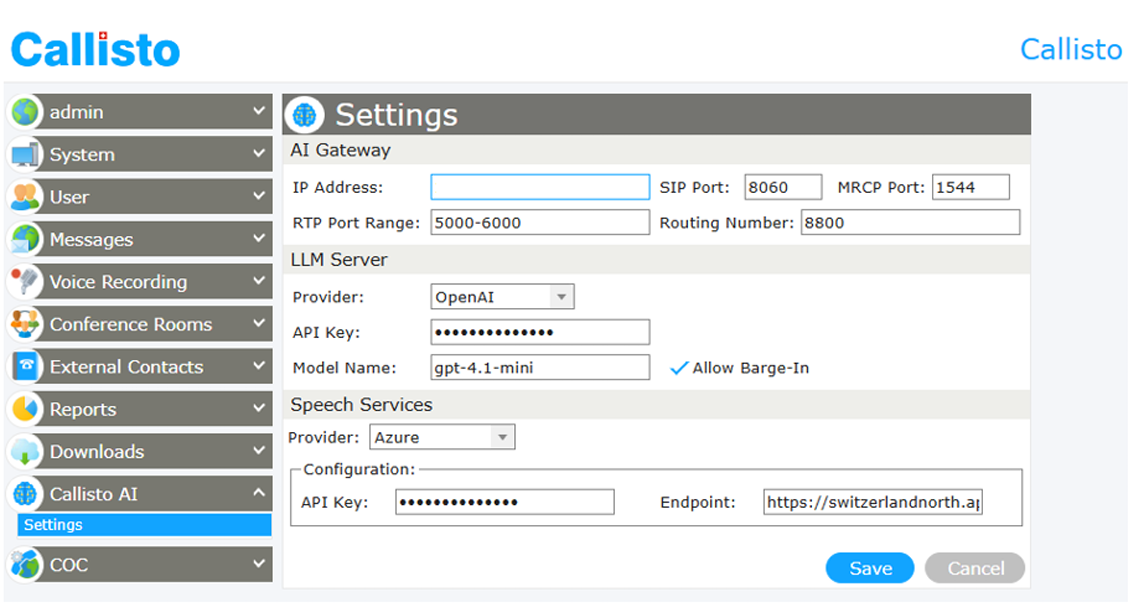
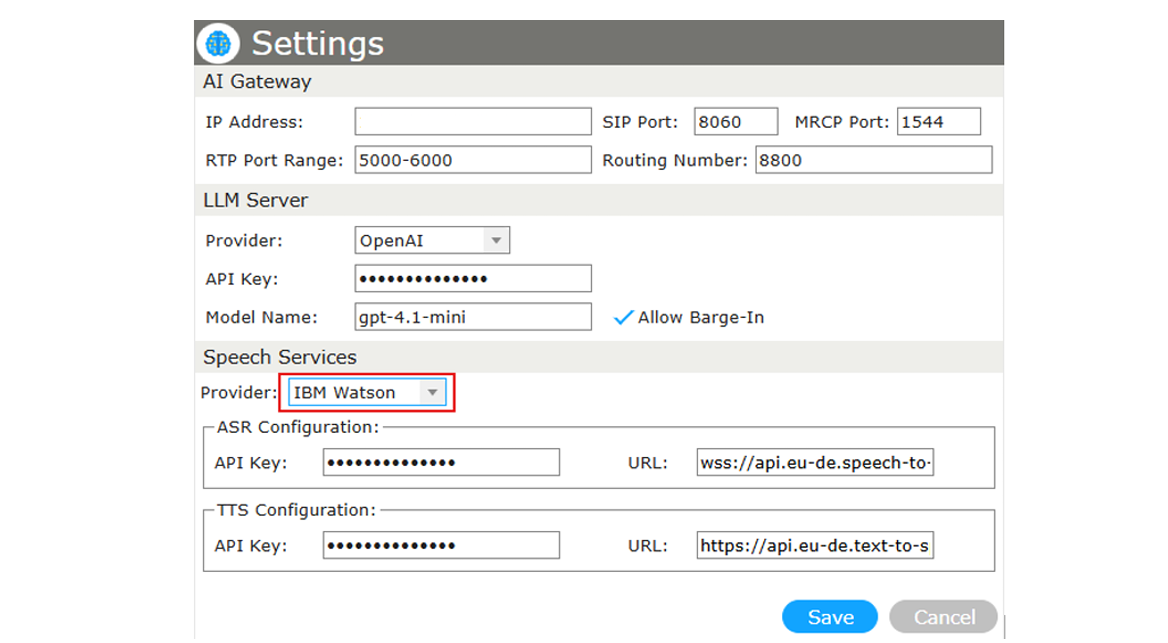
The Settings page is divided into three areas: AI Gateway, LLM Server, and Speech Services. After changing any value click Save to apply the configuration, or Cancel to discard your changes.
The Callisto AI Gateway is a separate server that handles the communication with the speech services. This server has to be configured so that Callisto can reach it and route calls to it. Configure the following parameters:

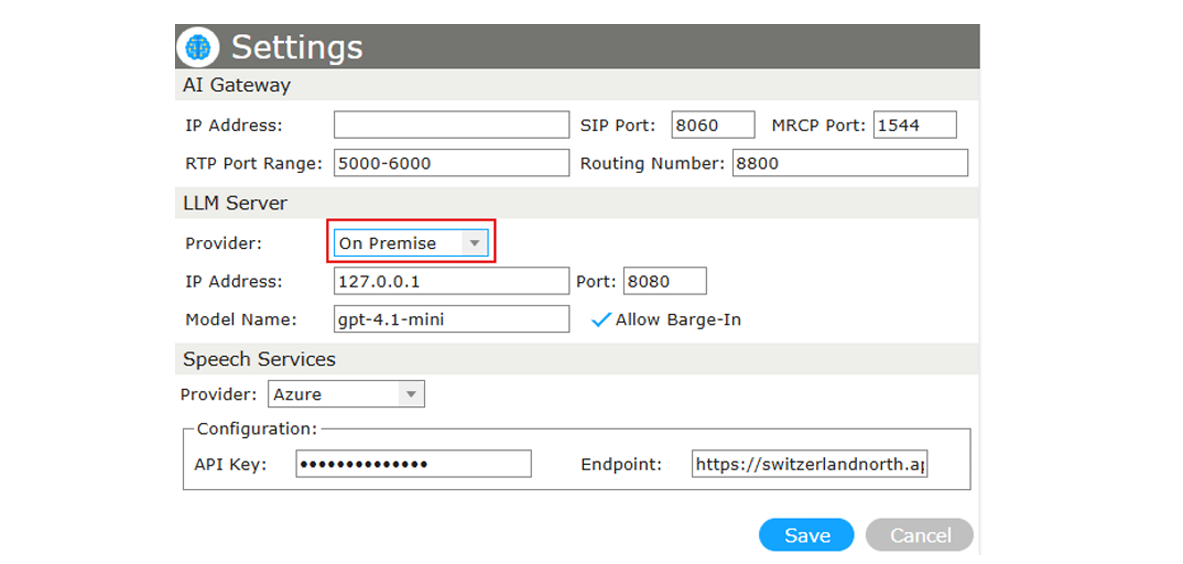
The LLM Server provides the language model that generates the conversational responses. Select the Provider from the drop-down list.
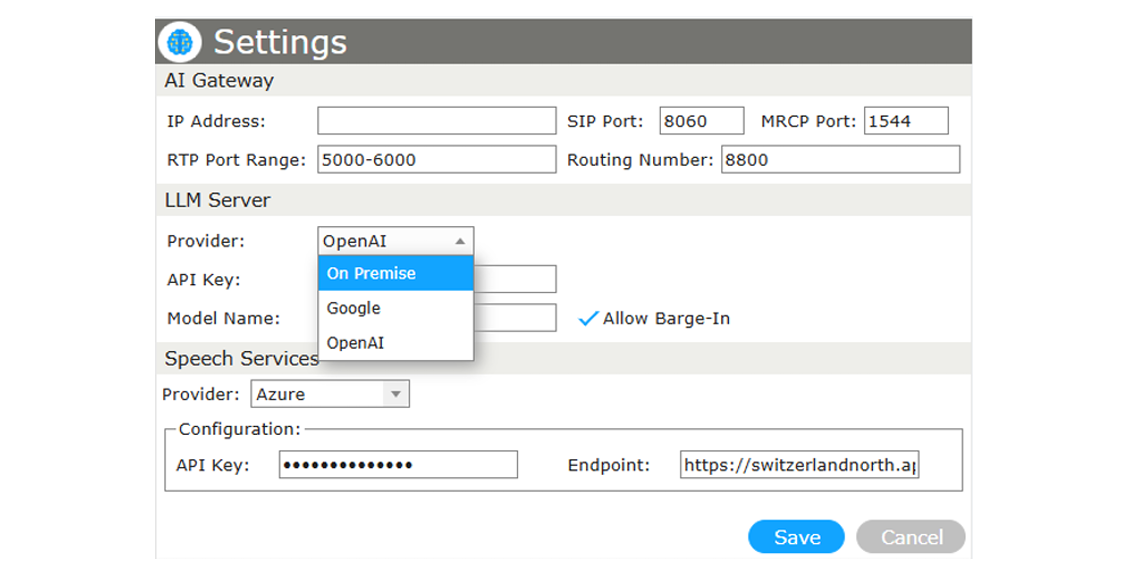
The following providers are available: On Premise, Google, and OpenAI.
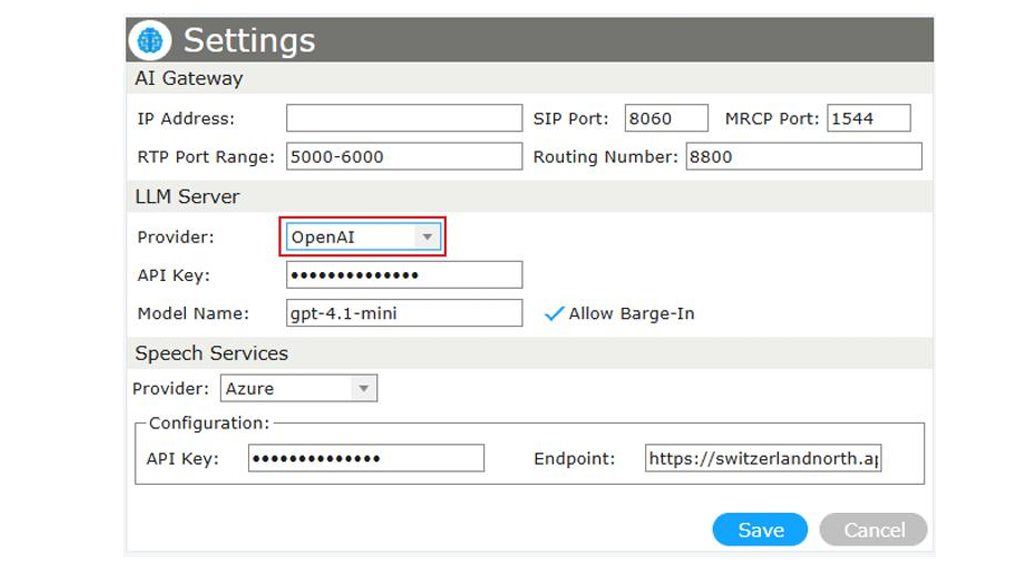
For a cloud provider, enter the credentials of your account:
For an on-premise model, specify the address of your local LLM server instead:
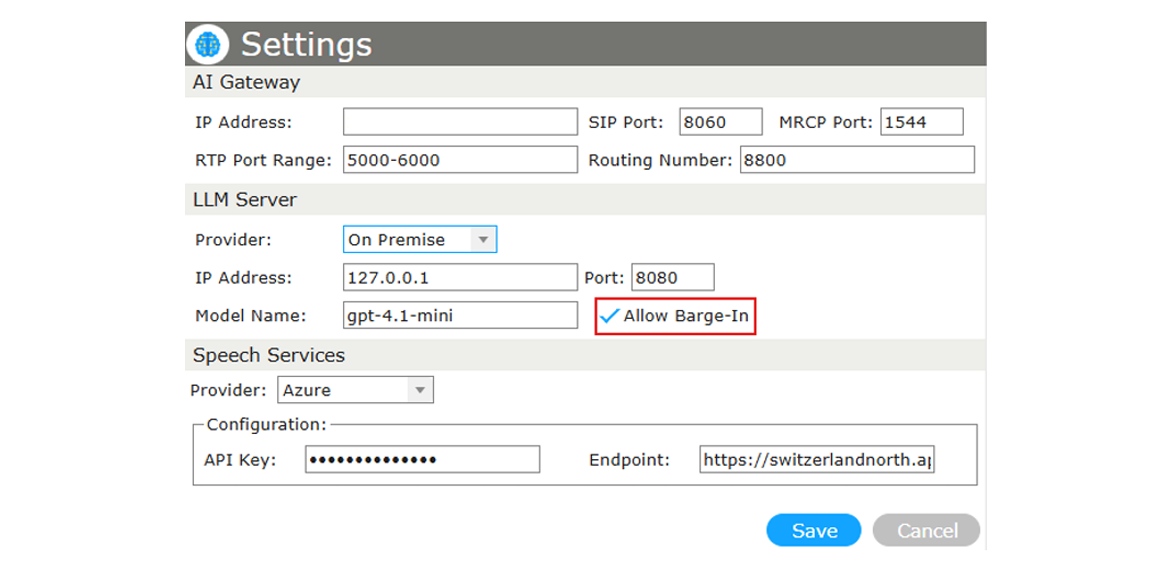
Enable Allow Barge-In to let the caller interrupt the AI bot by speaking. When this option is disabled, the caller must wait until the bot has finished before speaking.
The Speech Services provider handles speech recognition (ASR) and speech synthesis (TTS). Select the Provider from the drop-down list.
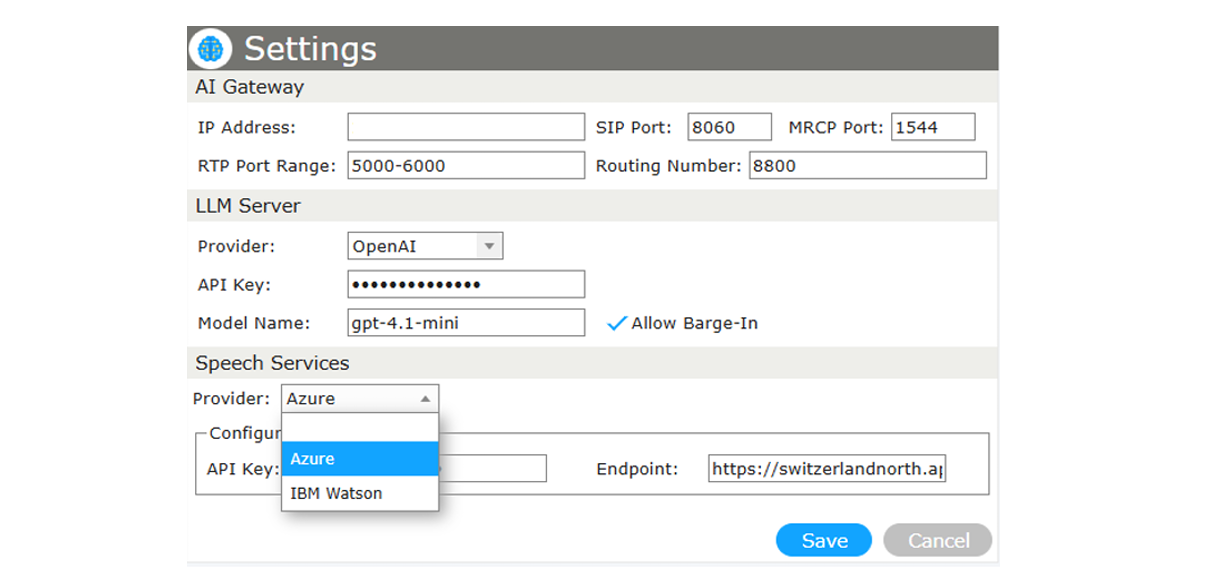
The following providers are available: Azure and IBM Watson.
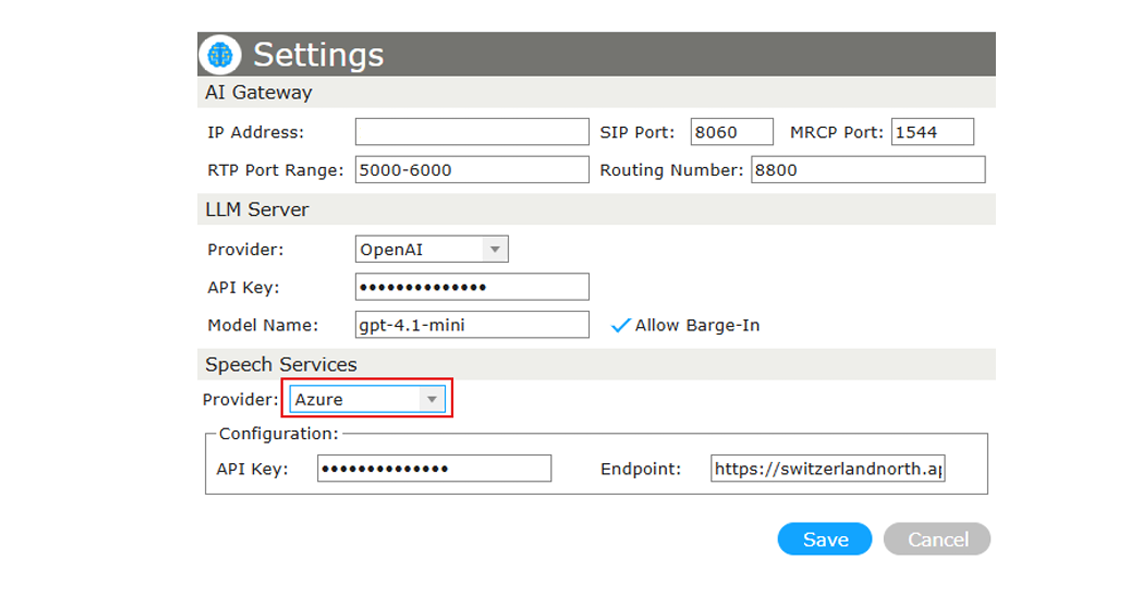
For Azure, a single set of credentials is used for both recognition and synthesis:
For IBM Watson, the speech-to-text (ASR) and text-to-speech (TTS) services are configured separately:
Freiburgstrasse 251
CH-3018 Bern
Switzerland
T: +41 31 531 11 11
F: +41 31 531 11 12
sales@ctmodule.com
Gospodara Vučića 145
RS-11000 Belgrade
Serbia
T: +381 18 308076
sales@ctmodule.com